Your AI agent uses these preferences to qualify leads and decide when to notify you. Find these settings in Settings > Agent tab.
The Four Settings
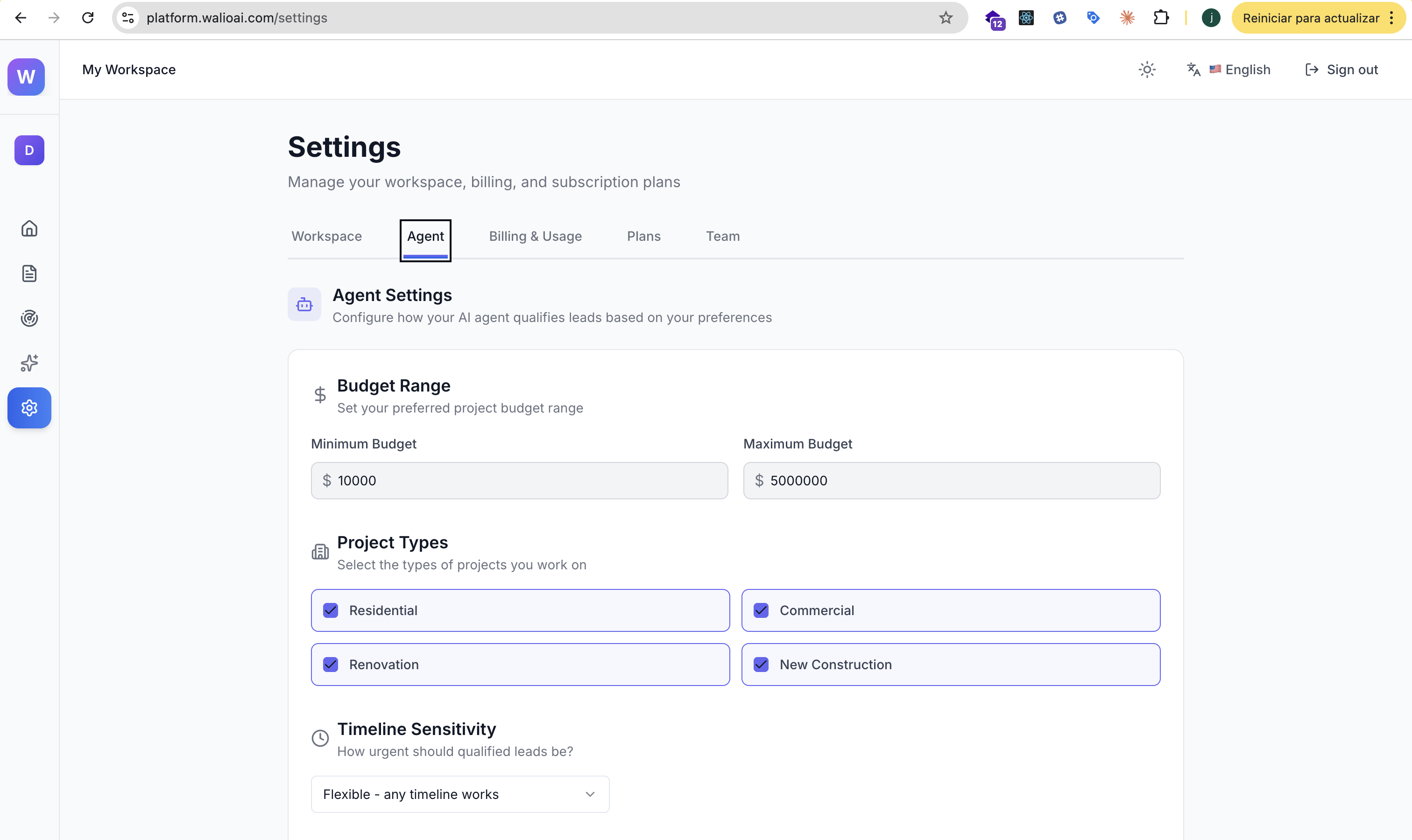
Budget Range
Set the minimum and maximum budget for leads you want to capture. Leads mentioning amounts outside this range will be scored lower.
- Minimum Budget: The smallest project you'll take on
- Maximum Budget: The largest project you handle
All amounts are in USD. If your leads mention budgets in other currencies, Walio will do its best to convert and match.
Be flexible
Consider setting your range slightly wider than your ideal. You can always filter later, but you don't want to miss a great lead who just rounded their budget.
Project Types
Select the types of work you want to attract. These are customizable tags that help the AI understand what services you offer.
Default options include:
- Residential
- Commercial
- Renovation
- New Construction
The AI uses these to score leads higher when they mention relevant project types in their messages.
Timeline Sensitivity
How important is timing for your business?
- Urgent - Prioritize leads who need work done soon
- Flexible - You can accommodate any timeline
- No Preference - Timeline doesn't affect lead scoring
Choose based on your current availability. If you're booked for months, "Flexible" might be best. If you need projects soon, try "Urgent."
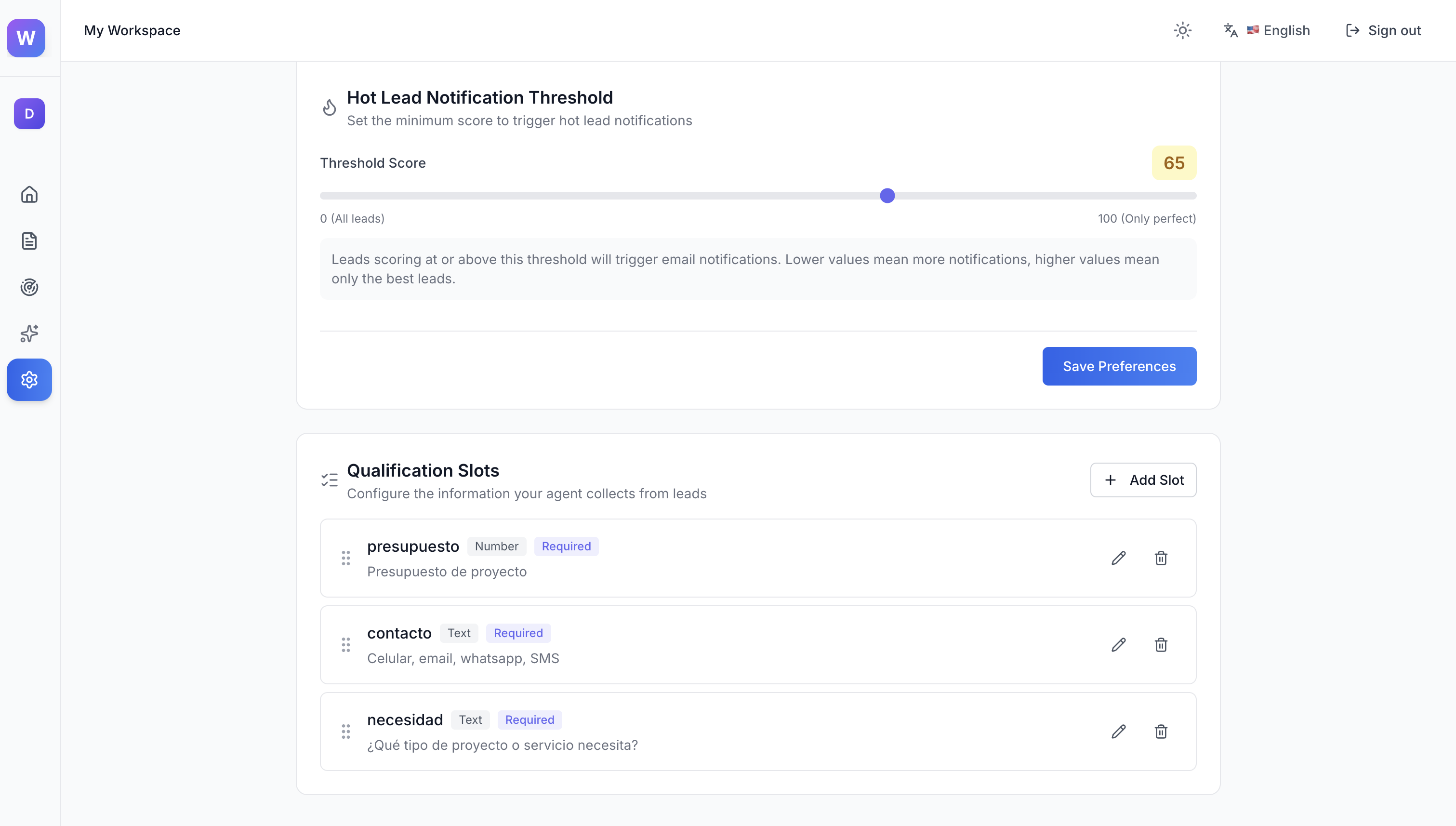
Hot Lead Notification Threshold
This slider (0-100) controls when you receive email notifications about new leads.
- Lower values (e.g., 20) = More notifications. You'll hear about most leads.
- Higher values (e.g., 80) = Fewer notifications. Only the best matches trigger emails.
Think of it as a quality filter. Set it higher if you're getting too many emails, lower if you're missing good opportunities.
Example Configurations
Service Business (Low Volume, High Value)
- Budget: $5,000 - $50,000
- Timeline: Urgent
- Threshold: 70 (only notify for strong matches)
Agency (High Volume)
- Budget: $500 - $25,000
- Timeline: Flexible
- Threshold: 40 (cast a wider net)
Consultant
- Budget: $2,000 - $20,000
- Timeline: No Preference
- Threshold: 55 (balanced approach)
Next Steps
Qualification Criteria
Set up custom slots to extract specific information from conversations