Slots are the pieces of information Walio's AI looks for in every conversation. When someone mentions their budget, phone number, or what they need, the AI extracts and saves it automatically.
How Slots Work
Think of slots as a checklist for qualifying leads. The more slots filled, the more qualified the lead. Each filled slot also increases the lead's score.
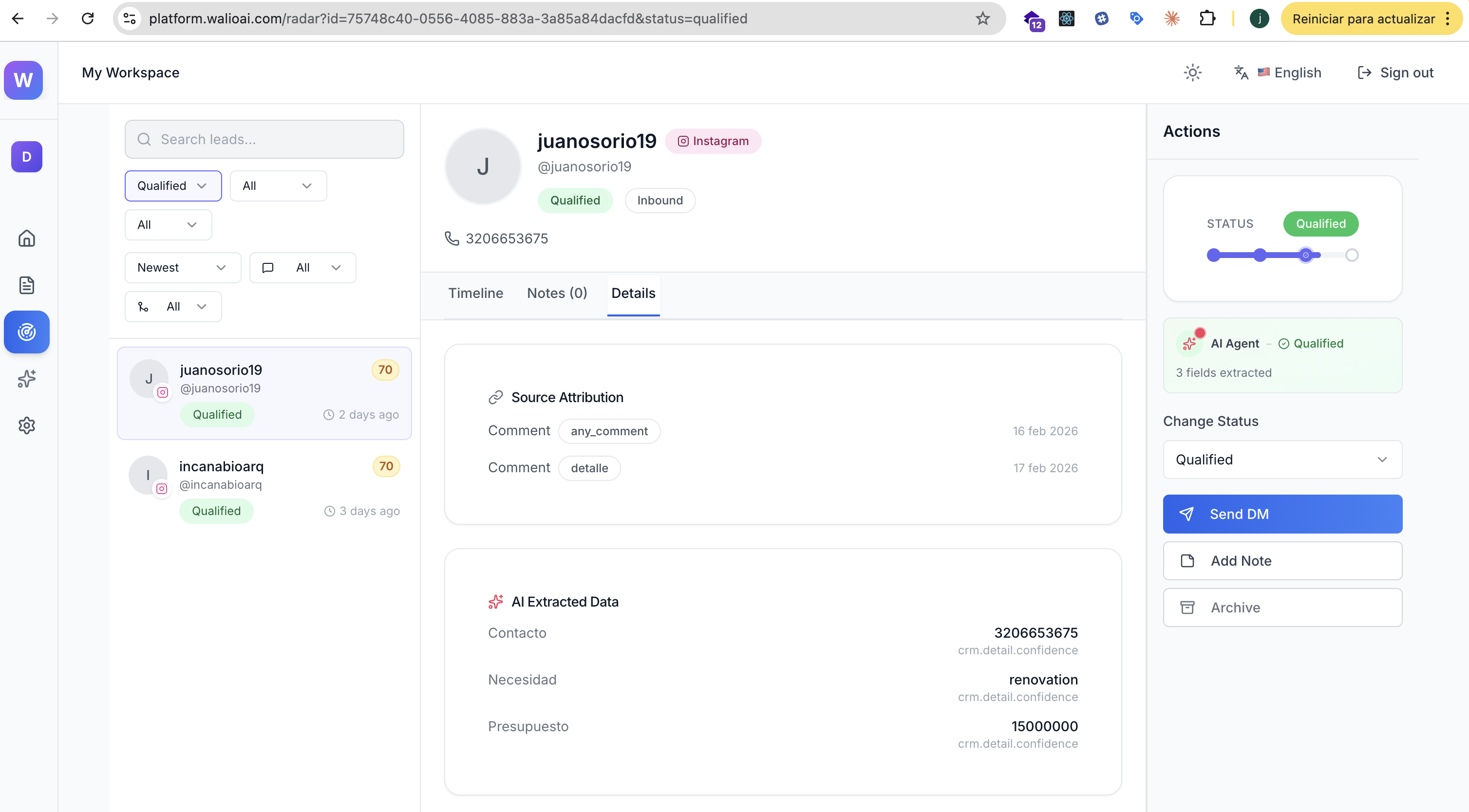
You can see extracted slot data in every lead's profile under AI Extracted Data.
Default Slots
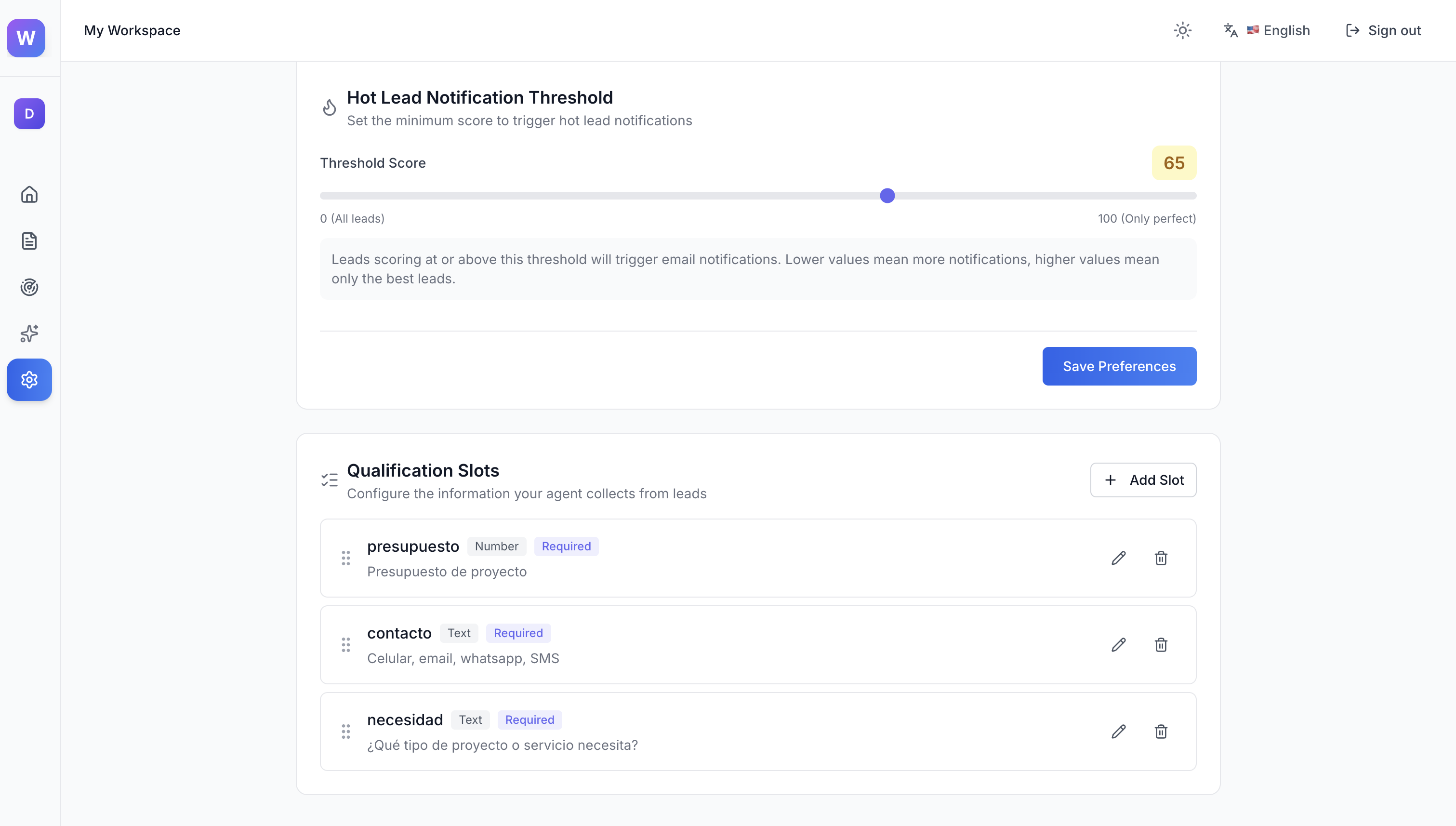
Walio comes with three slots pre-configured:
Presupuesto (Budget)
- Type: Number
- What it captures: Budget amounts, price ranges, spending limits
- Examples: "$15,000", "around 20k", "budget of fifty thousand"
Contacto (Contact)
- Type: Text
- What it captures: Phone numbers, emails, WhatsApp numbers
- Examples: "3206653675", "email me at john@example.com", "WhatsApp me"
Necesidad (Need)
- Type: Text
- What it captures: What they're looking for, type of project or service
- Examples: "kitchen renovation", "need a logo", "looking for coaching"
Adding Custom Slots
To add your own slots:
- 1
Go to Settings > Agent and scroll to Qualification Slots
- 2
Click + Add Slot
- 3
Enter a name for the slot (what information you want)
- 4
Choose the type: Number or Text
- 5
Save your changes
Industry Examples
Here are slot configurations for different types of businesses:
Recommended slots:
- Presupuesto (Number) - Construction or design budget
- Tipo de proyecto (Text) - Residential, commercial, interior, etc.
- Ubicacion (Text) - Where the project is located
- Contacto (Text) - Phone or email for follow-up
Tips for Better Extraction
Use clear slot names
The AI works better when slot names describe exactly what you're looking for. "Presupuesto" is better than "Info1".
Start with defaults
The three default slots work well for most businesses. Add custom slots only when you need specific information not covered.
Review and refine
Check your leads periodically. If the AI is missing information you care about, add a slot for it. If slots are rarely filled, consider removing them.
Next Steps
Agent Preferences
Configure budget ranges and notification thresholds
WhatsApp Follow-up
How to contact leads using extracted phone numbers