Walio's AI automatically extracts phone numbers from your Instagram and Facebook conversations. When a potential customer shares their contact info, you'll find it in the lead's profile for easy follow-up on WhatsApp.
How It Works
- 1
AI captures phone numbers
When someone mentions their phone number in a comment or DM, Walio's AI detects and saves it automatically.
- 2
View in lead details
Open any lead from your Radar to see their full profile. Phone numbers appear in the contact section along with other extracted information.
- 3
Contact on WhatsApp
Copy the phone number and reach out on WhatsApp directly from your phone. This gives you a personal, direct line to qualified leads.
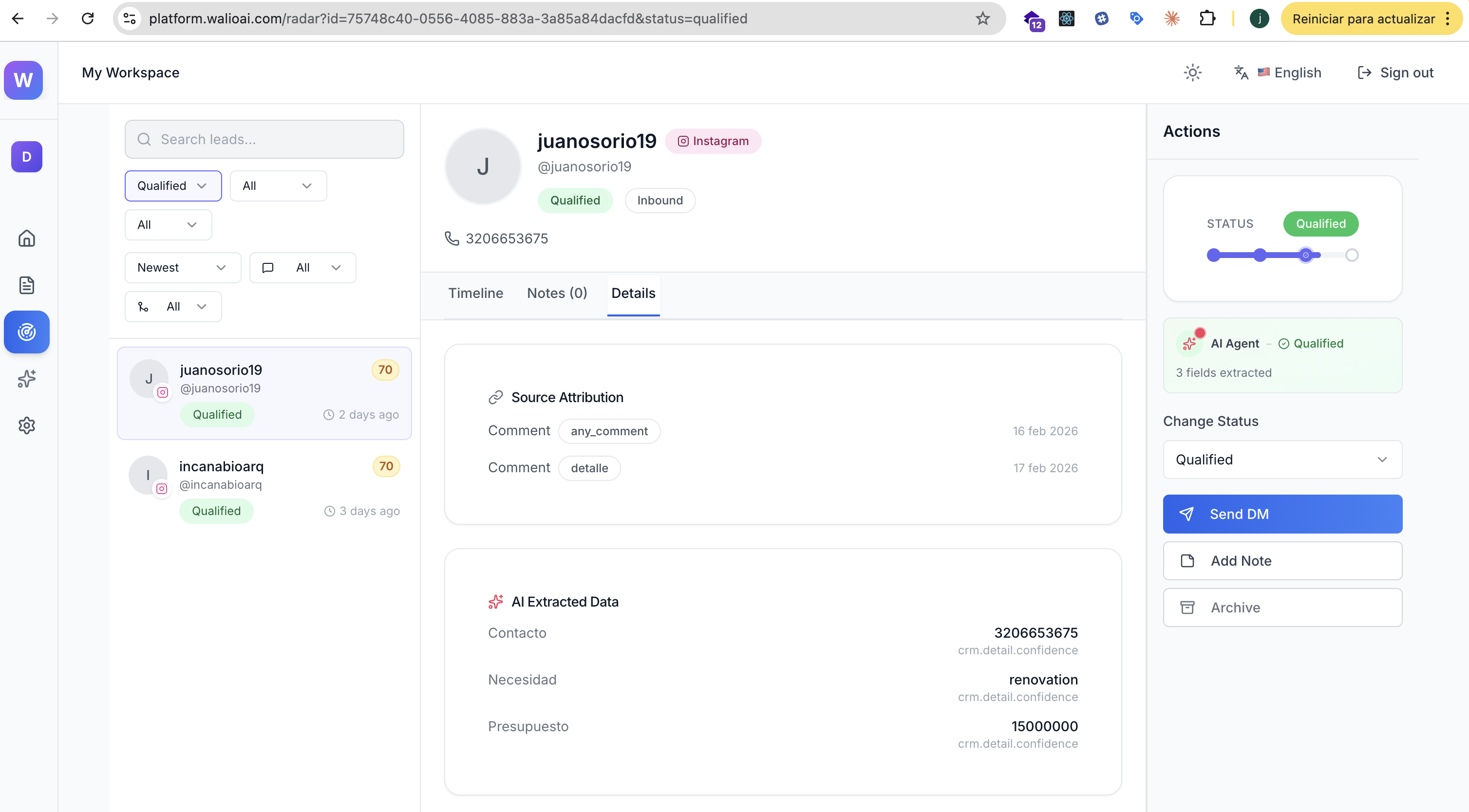
About the Send DM Button
You'll notice a Send DM button in the lead's action panel. This opens a direct message on Instagram, not WhatsApp. Use it when you want to continue the conversation within the platform where they first reached out.
For WhatsApp follow-up, you'll need to contact them manually using the extracted phone number.
Coming Soon: WhatsApp Channel
We're working on adding WhatsApp as a native channel in Walio. Soon you'll be able to send and receive WhatsApp messages directly from the platform. Stay tuned!
Best Practices for WhatsApp Follow-up
Respond quickly
Hot leads cool down fast. Try to reach out within 2-4 hours of when they showed interest. Same-day contact significantly increases conversion rates.
Reference the conversation
Start your WhatsApp message by mentioning where you connected. For example: "Hi! I saw your comment on our Instagram post about kitchen renovations..."
Keep it professional
Even though WhatsApp feels casual, maintain a professional tone. Introduce yourself, your business, and how you can help with their specific need.
What Information Gets Extracted
Walio's AI captures more than just phone numbers. Depending on the conversation, you may also see:
- Budget - How much they're looking to spend
- Need - What type of service or project they want
- Timeline - When they need it done
- Email - Alternative contact method
All of this appears in the AI Extracted Data section of each lead's profile.
Next Steps
Qualification Criteria
Customize what information your AI extracts from conversations
Agent Preferences
Configure notification thresholds to get alerted about hot leads